Profile
Open your profile from the user menu. Its information is reused to prefill notes, forms, and reports.
Identity
Information
Enter your name and practice number. Also confirm the saved time zone; you can replace it with the device's time zone.
Workplaces
You can search for and add several workplaces, create a missing workplace, remove one, and set the active shift's workplace.
A workplace may include its name, address, region, postal code, phone, and fax. The active workplace is linked to the current shift.
Preferences
Notes
- Note language determines the language used for transcription and analysis.
- Patient record link automatically appends the record address when a note is copied.
Billing codes
Choose FMSQ or FMOQ. This setting adapts code entry and the billing report to your practice.
Default signature
Draw your signature with a mouse or touch screen, then save it. It is automatically reused in documents that include the doctor's signature.
Note customization
The Customization tab adapts the structure of new notes:
- Choose All types or a specific note type.
- Select an existing note as an example.
- Describe the requested change in the conversation panel.
- Review the result and saved instructions.
- Save when the structure is satisfactory.
You can disable symbols or abbreviations, remove an instruction, reset a type, and share customizations by QR code.
Customizing the note footer
You can set the text that appears at the end of your notes, such as a notice that you received consent from the patient.
- Open Profile → Customization, then choose All types or a specific note type. Select an existing note to preview your changes.
- Open the ⋮ menu next to Save and select Options.
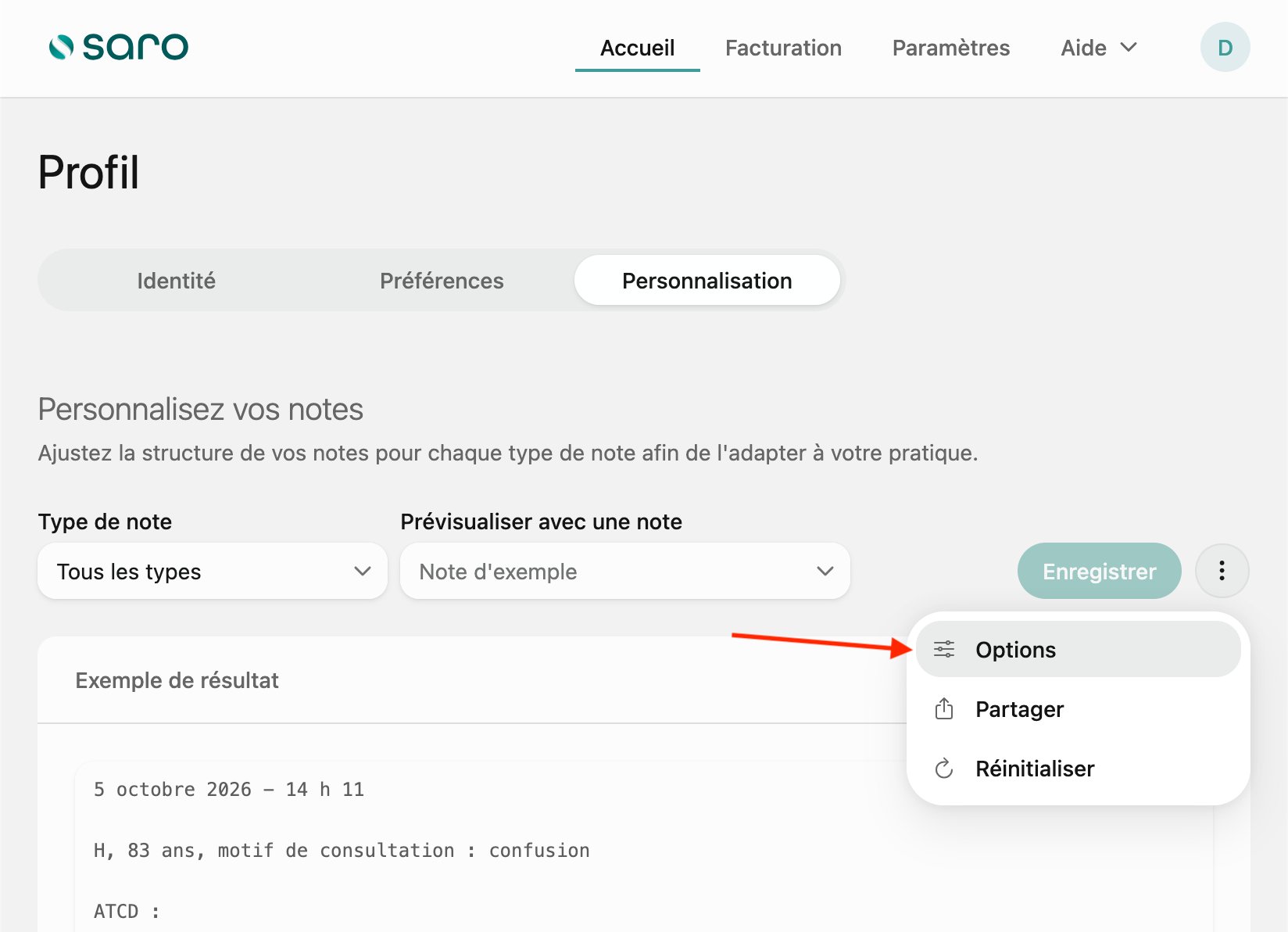
- Enable Modify footer in the note options panel.
- Enter your text in Footer content. You can use multiple lines.
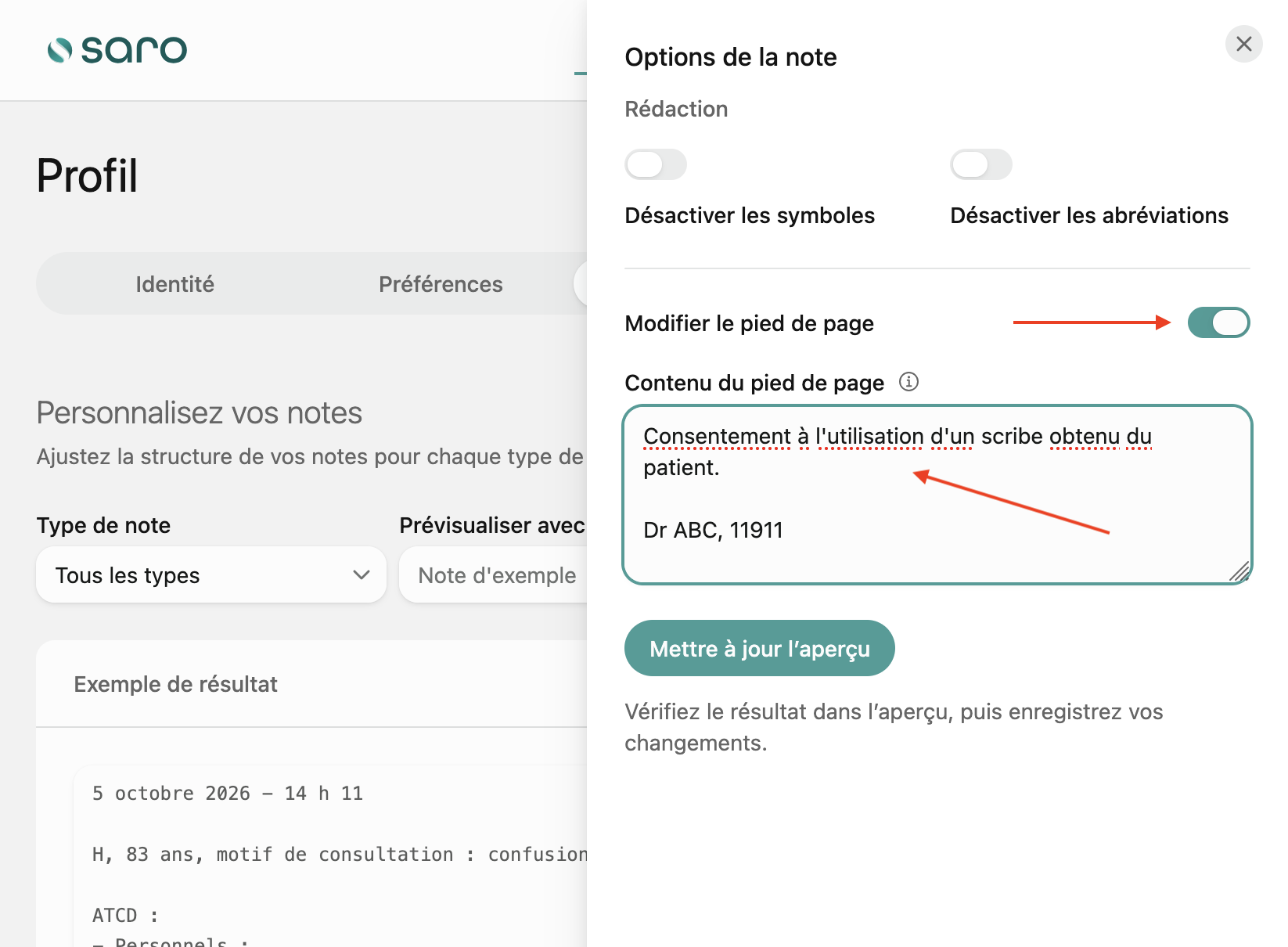
- Click Update preview, then close the options panel and check the result in the note preview.
- Click Save to keep your changes.
Customization sharing
The QR code can be scanned under Profile → Notes on mobile. The receiving doctor selects the types to import and can merge or replace their instructions.
Customizations apply to new generations. They do not automatically rewrite existing notes.